

I used to think that “professionalism” meant fancy slide decks, color-coded spreadsheets, and those endless, circular discussions that leave everyone feeling more drained than when they started. But after years of freelancing and managing projects for people who treat calendar invites like a suggestion rather than a commitment, I’ve realized most corporate advice on how to run a good meeting is just performative fluff. We’ve been sold this idea that if a meeting looks polished, it’s productive, but I’ve sat through enough soul-crushing, hour-long tangents to know that a beautiful presentation is often just a mask for a total lack of direction.
I’m not here to give you a lecture on high-level corporate synergy or teach you how to use complex project management software you’ll never actually open. Instead, I want to share the scrappy, functional systems I use to keep my own projects on track without losing my mind. I’m going to show you how to cut the fluff and implement a few low-maintenance habits that actually respect people’s time and get real decisions made. Let’s stop pretending and start being efficient.
Table of Contents
Messy Meeting Agenda Preparation That Actually Works
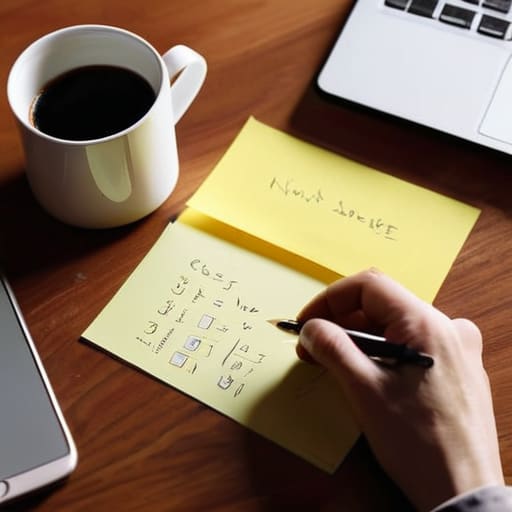
Look, I used to think a “professional” agenda had to be this polished, multi-page document that looked like it came out of a corporate retreat manual. But honestly? That’s just a recipe for procrastination. If the prep feels like a chore, you won’t do it, and then you’re stuck in a forty-minute loop of “so, what are we even here for?” Instead, I’ve found that the best meeting agenda preparation is actually pretty scrappy. Grab a digital sticky note or a messy bulleted list and just jot down the three things that must be decided before everyone hangs up.
The goal isn’t to look fancy; it’s about reducing meeting fatigue by giving people a roadmap so they don’t have to guess why they’re there. I always include a “Decision Needed” tag next to specific points. This shifts the vibe from a passive chat to collaborative decision making. If you can’t define what a successful outcome looks like in one sentence, you aren’t ready to hit ‘send’ on that calendar invite. Keep it raw, keep it functional, and just get the core objectives out of your head and onto the screen.
Meeting Productivity Hacks for Real People
Once the agenda is out of the way, we need to talk about the actual energy in the room. We’ve all been there—staring blankly at a screen while someone drones on for forty minutes about a problem that could have been an email. To combat this, I’ve leaned heavily into reducing meeting fatigue by implementing a “hard stop” rule. If we scheduled thirty minutes, we end at twenty-eight. That tiny buffer gives everyone a chance to breathe, grab water, or just reset before their next chaos-filled task.
Another thing that saved my sanity as a freelancer is getting serious about action item tracking. It’s easy to feel like you had a productive chat, but if nobody knows who is doing what by Friday, you haven’t actually had a meeting; you’ve just had a group hang. I like to spend the last five minutes of every call doing a lightning round where we call out specific tasks. It keeps us honest and ensures that the momentum we built actually turns into real-world progress rather than just more talking.
Five Ways to Stop the Meeting Madness
- Assign a “Bad Cop” note-taker. Don’t just wing it; pick one person whose sole job is to capture decisions and action items, not every single word said. If it isn’t written down in a shared doc, it basically never happened.
- Embrace the “Parking Lot” method. When a conversation veers off into a rabbit hole that has nothing to do with the current goal, call it out. Say, “That’s a great point, let’s put it in the parking lot for later,” and get the group back on track immediately.
- Kill the “Status Update” meeting. If you’re just sitting there listening to people recite what they did last week, you’re wasting everyone’s time. Use Slack or a quick email for updates and save the actual meeting time for solving problems or making decisions.
- Set a hard “End Time” and stick to it. There is nothing more draining than a meeting that bleeds into your next task. If you finish early, give everyone the gift of time and end the call. Don’t fill the extra five minutes just because you can.
- The “No Agenda, No Attending” rule. This sounds aggressive, but it works. If you get an invite that’s just a vague title with no context, ask for the goal before you commit. You can’t prepare if you don’t know why you’re there.
The Bottom Line: Keep It Real, Keep It Moving
Ditch the polished, hour-long presentations; if you can’t explain the goal in three messy bullet points, you aren’t ready to hit ‘send’ on that invite.
Respect everyone’s time by ruthlessly cutting the fluff—if a topic doesn’t lead to a decision or a clear next step, it’s just noise that belongs in an email.
Focus on outcomes over aesthetics; a successful meeting isn’t one that looks professional, it’s one where everyone walks away knowing exactly what they need to do next.
The Real Goal of a Meeting
“A good meeting isn’t about everyone sitting in a circle and feeling heard; it’s about making sure that when you finally close your laptop, you actually know what you’re supposed to do next.”
Maya Sterling
The Bottom Line

At the end of the day, running a better meeting isn’t about finding some magical, high-tech software or crafting a pristine, color-coded itinerary. It’s really just about respecting everyone’s time. By sending out those imperfect but clear agendas, keeping the conversation focused on decisions rather than just “updates,” and making sure everyone knows exactly what their next step is, you’re already ahead of 90% of the people in your industry. You don’t need a polished presentation to be effective; you just need a functional system that prevents people from feeling like they’re just spinning their wheels in a digital void.
I know that trying to change how your team operates can feel like a massive uphill battle, especially when “we’ve always done it this way” is the standard response. But remember, you don’t have to overhaul your entire company culture overnight. Start small. Try one new tactic in your next sync, see how it feels, and adjust from there. Life is way too short to spend forty hours a week in meetings that could have been a quick Slack thread. Focus on making things work, not making them look pretty, and I promise you’ll start seeing the ROI in your own sanity almost immediately.
Frequently Asked Questions
What do I do when someone starts rambling or goes completely off-topic during the meeting?
We’ve all been there—that one person who turns a five-minute update into a twenty-minute saga. It’s awkward, but don’t let it derail the whole hour. I’ve learned to use the “Parking Lot” method. I’ll jump in politely and say, “That’s a huge point, but I want to make sure we respect everyone’s time. Can we put that in the ‘parking lot’ and circle back via email?” It keeps the momentum without being rude.
How do I handle people who just sit there silently and don't contribute anything at all?
We’ve all been there—staring at a sea of blank faces while you’re doing all the heavy lifting. It’s draining. Instead of just hoping they’ll speak up, try calling them in gently. Use direct, low-pressure questions like, “Hey Sam, I’d love to get your take on this from a technical side,” or “Jamie, does this timeline feel realistic to you?” It shifts them from passive observers to active participants without making it feel like an interrogation.
Is it okay to cancel a meeting last minute if I realize we could have just handled it over email?
Honestly? Yes. In fact, I’d argue it’s your responsibility to do it. There is nothing more draining than sitting through a thirty-minute sync just to realize you could’ve settled everything in a three-sentence email. If you look at the agenda and realize it’s just a status update, cancel it. Send a quick note saying, “Hey, I realized we can tackle this via thread to save everyone some time.” Your team will actually thank you for it.
