

I remember sitting at my kitchen table last year, sweating through a professional blouse while my neighbor’s leaf blower roared right outside my window. I had spent forty minutes trying to curate a “perfect” bookshelf backdrop to look like a high-powered project manager, only to realize I was so distracted by my fake scenery that I completely missed a follow-up question from the recruiter. We’ve been sold this idea that mastering remote job interview tips means investing in ring lights and expensive acoustic foam, but honestly? That’s just more performative clutter.
I’m not here to tell you how to build a studio in your spare bedroom. Instead, I want to share the unfiltered, functional systems I’ve actually used to land roles while working from a tiny apartment. We’re going to skip the aesthetic fluff and focus on the stuff that actually matters: testing your tech so you aren’t fighting your Wi-Fi mid-sentence, managing your environment without losing your mind, and showing up as your real self. These are the tested, no-nonsense methods that will help you nail the interview without needing a production crew.
Table of Contents
Forget the Perfect Professional Background for Video Calls

I used to spend twenty minutes before every call trying to stage my bookshelf or move my laundry basket out of the frame. Honestly? It’s exhausting, and most recruiters won’t even notice the specific brand of candle on your desk. What they will notice is if you look like you’re hiding in a dark cave. Instead of obsessing over a curated professional background for video calls, just find a neutral wall or a tidy corner. If your apartment is a bit of a disaster zone like mine was last month, a simple, inexpensive sheet or a clean, solid-colored backdrop works wonders.
The real secret isn’t the decor; it’s the lighting for virtual meetings. If you can, sit facing a window. Natural light is your best friend because it makes you look awake and engaged without needing a fancy ring light. If you’re fighting a harsh shadow or a backlight that turns you into a mysterious silhouette, it’s going to distract from your actual answers. Focus on being visible and clear—that’s where the real confidence comes from.
Simple Lighting for Virtual Meetings That Actually Works
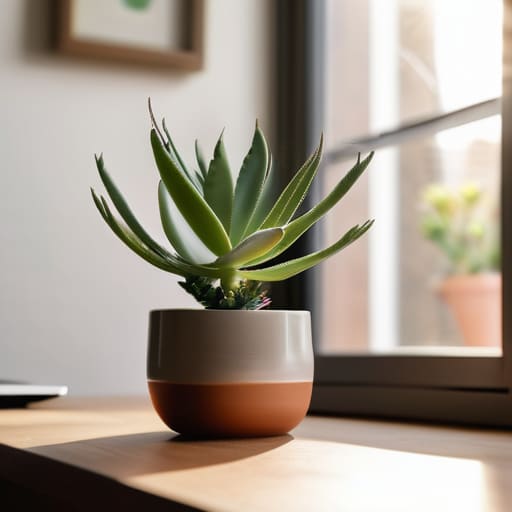
Look, I know the temptation to go out and buy one of those expensive, circular ring lights is real, but you really don’t need to go down that rabbit hole. Most of the time, you’re just looking for a way to avoid looking like a mysterious silhouette in a dark room. The easiest fix? Face a window. Natural light is your best friend for a remote interview technical setup because it’s soft, even, and makes you look much more awake than a harsh overhead bulb ever will. If you’re interviewing in the evening, just grab a desk lamp, pull it slightly behind your laptop, and point it toward the wall in front of you. This bounces the light back onto your face so you aren’t squinting or covered in weird shadows.
The goal isn’t to look like you’re in a high-budget studio; it’s just to make sure the person on the other side can actually see your expressions. When you’re navigating tricky remote interview questions and answers, you want your non-verbal cues—like a nod or a smile—to be clear. Avoid having a bright window directly behind you, or you’ll end up looking like a witness in a crime documentary. Keep it simple, keep it bright, and keep it focused on you.
The "low-stress" checklist for your actual interview day
- Test your tech at least twenty minutes before the call starts. I’m talking about the mic, the camera, and your internet connection. There is nothing more panic-inducing than sitting there staring at a loading screen while your potential boss waits on the other side.
- Keep a physical notepad and a pen right next to you. I know, we live in a digital world, but there is something so much more grounded about jotting down a quick note or a question without the distracting clicking of a keyboard or the risk of accidentally switching tabs on your screen.
- Have a “cheat sheet” taped near your webcam. Since you aren’t in a room with them, you can actually use this to your advantage. Tape a few bullet points of your biggest wins or the specific questions you want to ask right at eye level so you don’t blank out when the pressure hits.
- Dress for the job, but keep the comfort in mind. You don’t need a full three-piece suit if you’re working from a home office, but putting on a real shirt (and maybe actual trousers instead of pajama bottoms) helps shift your brain into “work mode” and keeps you from feeling like you’re just hanging out in your living room.
- Prepare a quick “tech backup” plan. If your Wi-Fi decides to die mid-sentence, don’t spiral. Have your phone nearby with the meeting link ready to go, or have the recruiter’s email pulled up so you can send a quick “connection issues” note immediately. It shows you’re a problem-solver, even when things get messy.
The "bare minimum" tech checklist
Test your audio before you even think about your video; a decent mic is way more important than looking like a movie star.
Keep a backup plan ready, like having your phone’s hotspot handy, because there is nothing more stressful than your Wi-Fi cutting out mid-sentence.
Don’t overcomplicate your setup—just make sure your camera is at eye level so you aren’t stuck staring down at your interviewer the whole time.
Focus on the connection, not the clutter
“At the end of the day, they aren’t hiring your bookshelf or your ring light; they’re hiring your brain. If you can nail the conversation without your tech crashing, you’ve already won half the battle.”
Maya Sterling
You've Got This
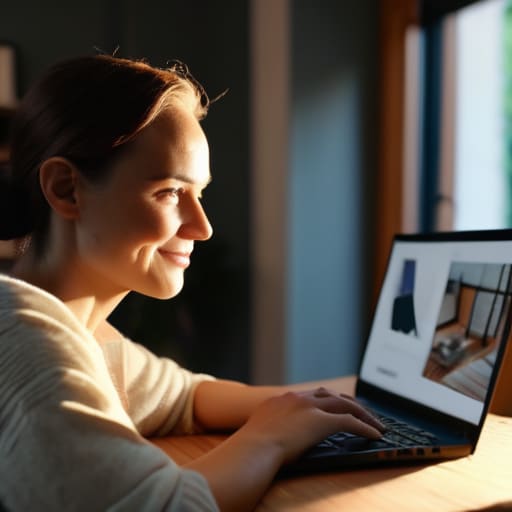
At the end of the day, remote interviewing is really just about removing the friction between you and the person on the other side of the screen. We’ve covered how to ditch the stressful quest for a “perfect” studio setup, how to use basic lighting to actually see your face, and how to ensure your tech doesn’t become a distraction. It isn’t about having a high-end production suite; it’s about functional preparation. When you stop worrying about whether your bookshelf looks curated or if your lamp is positioned at a professional angle, you can actually focus on the one thing that matters: showing up as your most capable self.
I know how much it sucks to feel like you’re being judged on your living room decor rather than your actual skills, but please remember that the interviewer is just a person looking for a teammate. They want to see your expertise and your personality, not your interior design choices. Don’t let the fear of a messy corner or a glitchy Wi-Fi connection steal your confidence. Just set up your basics, take a deep breath, and trust your preparation. You don’t need a flawless stage to land a great job; you just need to be ready to do the work.
Frequently Asked Questions
What should I do if my internet connection starts acting up right in the middle of the interview?
First, don’t panic—I’ve been there, and it’s a total heart-sink moment. If your connection starts lagging, immediately switch to your phone’s hotspot if you can. It’s usually more stable than spotty Wi-Fi. Also, keep your phone nearby with the recruiter’s number already dialed. If things go totally south, just send a quick, calm email or text. It shows you can handle a crisis without losing your cool.
Is it okay to have a pet or a kid make a little noise in the background, or should I try to hide that completely?
Look, I’ve been there—trying to look professional while my cat decides that exact moment is the time to scream for treats. Honestly? Don’t stress about hiding every single human (or animal) sound. If a kid yells or a dog barks, just acknowledge it briefly with a smile and keep going. It shows you’re real. Just try to keep the heavy chaos to a minimum so you can stay focused on the actual conversation.
How do I actually dress for a video call without feeling like I'm wearing a costume or being way too casual?
I used to think I needed a full blazer and heels just to feel “professional,” but honestly, that just made me feel like I was playing dress-up. My rule of thumb now? Aim for the “smart casual” middle ground. Think a clean, solid-colored sweater or a structured polo. Avoid wild patterns—they tend to jitter on camera and distract people. If you feel comfortable in what you’re wearing, that confidence actually translates through the screen.
