

I used to spend twenty minutes every morning frantically rearranging my bookshelf and hunting for a ring light, convinced that if my background didn’t look like a Pinterest board, I was failing at my job. I thought there was some secret, expensive formula for how to look better on video calls, but honestly? I was just wasting time I could have spent actually working—or, you know, drinking my coffee while it was still hot. The truth is, most of the “pro” advice out there is just performative fluff designed to make you buy gear you don’t need.
I’m not here to tell you to build a studio in your spare bedroom or invest in a professional-grade lighting rig. Instead, I want to share the low-effort, high-impact tweaks that actually work for people living in real, slightly messy apartments. We’re going to focus on a few functional shifts—like where you sit and how you use a basic desk lamp—to help you look polished and professional without the unnecessary stress. Let’s get you camera-ready in under three minutes.
Table of Contents
Ditch the Studio Easy Professional Webcam Lighting Setup
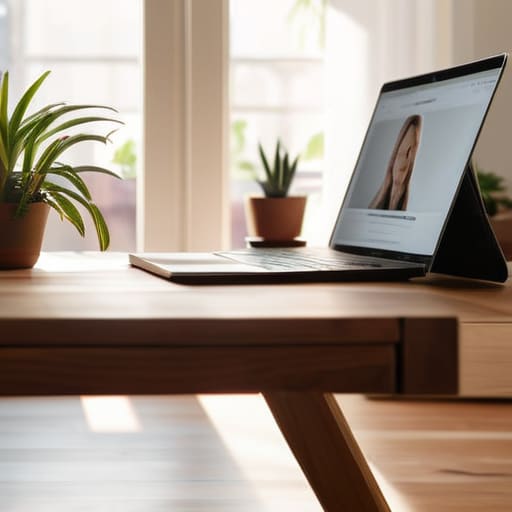
Look, I used to think I needed to spend a fortune on a ring light and a professional studio setup just to avoid looking like a grainy shadow in my Monday morning syncs. But honestly? That’s a fast track to clutter and wasted money. Most of the time, a professional webcam lighting setup is just about being smart with what you already have in your apartment. The golden rule is simple: find a window and face it. If you sit with your back to a window, you’ll end up looking like a dark silhouette in a witness protection program.
If you’re working late or the sun has already decided to quit for the day, don’t panic. Just grab a basic desk lamp, peel off the shade if it’s too harsh, and place it behind your laptop. You want the light hitting your face, not your forehead, so aim for a soft, indirect glow. It’s less about being “perfect” and more about improving webcam resolution by giving your camera actual light to work with. When you aren’t fighting a dim room, you’ll notice you look much sharper without any extra effort.
Find Your Best Camera Angles for Remote Work

Once you’ve got your lighting sorted, the next thing that usually trips me up is the dreaded “looking down into the lens” angle. We’ve all been there—staring at a laptop sitting on a flat desk, which basically turns every meeting into a view of our nostrils. It’s not exactly the vibe we’re going for. To find the best camera angles for remote work, you need to get that lens at eye level. If you don’t have a fancy tripod, don’t sweat it; just grab a couple of thick hardcover books or even a sturdy coffee mug to prop your laptop up.
I’ve found that even a tiny adjustment makes a massive difference in how much more engaged and present you appear to your team. When the camera is level with your eyes, you’re actually looking at people instead of looming over them. While you’re adjusting your setup, take a quick second to glance at what’s behind you. You don’t need a minimalist studio, but minimizing background distractions—like a pile of laundry or a messy bookshelf—helps keep the focus where it belongs: on you and what you’re saying.
Small Tweaks for a Better View (Without the Stress)
- Stop fighting your background; just clean up the immediate area behind your head. You don’t need a minimalist library, you just need to hide that pile of laundry or the stack of unopened mail so people focus on your face instead of your chores.
- Check your audio before the meeting starts. I’ve learned the hard way that looking good doesn’t matter if you sound like you’re underwater. If you have basic earbuds with a mic, use them—it beats the built-in laptop mic every single time.
- Dress for your own confidence, not a costume. You don’t need a blazer if you’re working from your sofa, but swapping a faded pajama top for a clean, solid-colored sweater makes a massive difference in how you feel (and how you show up).
- Watch your eye contact. It feels weirdly unnatural to stare at your own little box on the screen, but try to glance at the actual camera lens when you’re speaking. It makes the other person feel like you’re actually looking at them, which builds way more rapport.
- Keep a “tech kit” nearby. I always keep a microfiber cloth near my desk to wipe my camera lens. It sounds silly, but a quick swipe removes all that greasy smudge buildup that makes your video look blurry and low-quality.
The "Keep It Simple" Cheat Sheet
Stop stressing about expensive gear; a single desk lamp or a window is usually all you need to stop looking like a blurry shadow.
Elevate your laptop with a stack of old books so you’re looking at the lens instead of looking down at your chin.
Focus on the basics of light and angle first—the high-end aesthetic can wait until you actually have the budget for it.
## The Reality Check
“Look, you don’t need a ring light and a professional studio setup to command a room; you just need enough light so people can actually see your eyes and a camera angle that doesn’t make it look like you’re staring down at them from a mountain.”
Maya Sterling
The Bottom Line
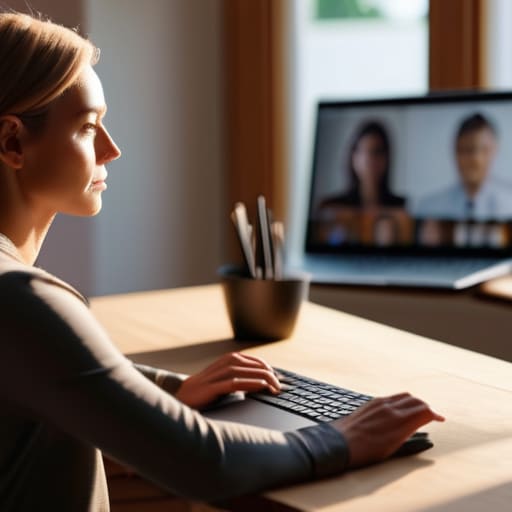
At the end of the day, looking “professional” on a video call isn’t about owning a $200 ring light or having a perfectly curated bookshelf behind you. It’s really just about the basics: getting some decent light on your face so you don’t look like a shadow, and propping your laptop up so you aren’t staring down into your own nostrils all afternoon. Once you’ve nailed those two things—lighting and angles—the rest is just noise. You don’t need a production crew; you just need to make small, functional adjustments that stop you from feeling self-conscious every time you hit “Join Meeting.”
I know how easy it is to spiral into “perfection mode” when you’re working from home, feeling like your messy apartment or your bad lighting is somehow a reflection of your competence. Trust me, it isn’t. Your clients and colleagues are there for your brain and your skills, not your studio setup. Use these hacks to feel a little more confident and a lot less distracted, then get back to the actual work that matters. Remember, life doesn’t need to be aesthetic to be functional, and neither does your Zoom background. Just show up, be yourself, and let the systems do the heavy lifting.
Frequently Asked Questions
What do I do if my apartment is super small and I don't have a dedicated office space?
Look, I get it. My “office” is often just a corner of my dining table, and some days it’s even my lap. You don’t need a spare room to look professional. Focus on a “micro-zone.” Clear just enough space to set up, and use a foldable laptop stand to bring the camera to eye level. If your background is a mess of laundry or dishes, don’t stress—just use a simple digital blur or a plain wall.
Is there a way to fix a messy background without actually cleaning the whole room?
Honestly, I’ve been there. When I have a deadline looming and my apartment looks like a laundry basket exploded, I don’t have time for a deep clean. My go-to? The “one-meter rule.” Just clear a tiny radius directly behind your head. If you can’t move the mess, use a shallow depth of field—most webcams have a “portrait mode” that blurs the background. It’s a total lifesaver for hiding the chaos without the stress.
Should I invest in a decent microphone, or will my basic laptop headset work fine?
Honestly? Save your money for now. If you’re just doing standard team syncs or one-on-ones, your laptop headset is perfectly fine. I’ve spent way too much time chasing the “perfect” gear only to realize no one cares about my audio quality as much as I do. Just make sure you aren’t in a room with a massive echo. If you start recording podcasts or presenting to huge clients, then we can talk about an upgrade.
