
I was halfway through a crucial client video call last Tuesday when my screen froze, turning my boss into a pixelated, silent statue. I felt that familiar, hot prickle of frustration rising in my chest—the kind you only get when you’re paying for high-speed internet but getting dial-up energy instead. Most tech blogs will try to sell you a $300 mesh system or some complicated hardware upgrade, but let’s be real: you usually don’t need a massive budget to figure out how to fix slow wifi. Most of the time, the problem isn’t your provider; it’s just a few messy, overlooked habits in your actual living space.
I’m not here to give you a lecture on networking protocols or suggest you rewire your entire apartment. Instead, I want to share the low-effort, high-impact tweaks I’ve learned through trial and error while managing my freelance life from a tiny city flat. We’re going to look at the practical stuff—moving your router out of that dusty corner, checking your frequency settings, and clearing out the digital junk—to get you back online without the performative tech-wizardry.
Table of Contents
- Ditch the Decor Wifi Router Placement Tips That Actually Work
- Cut the Noise How to Reduce Wireless Interference Fast
- Stop Guessing and Check Your Real Internet Speed Test Results
- The "I don't have time for this" quick-fix checklist
- The quick-fix cheat sheet
- ## The truth about your connection
- Getting your connection back on track
- Frequently Asked Questions
Ditch the Decor Wifi Router Placement Tips That Actually Work
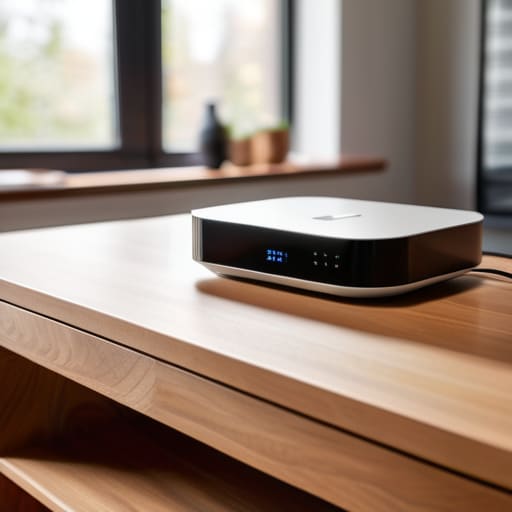
I know the struggle—we’ve all seen those Pinterest-perfect living rooms where the router is tucked away in a decorative wooden cabinet or hidden behind a stack of coffee table books. It looks clean, but it’s a total killer for your signal. Walls, furniture, and even that heavy ceramic vase on your sideboard act like tiny little shields, blocking your signal before it can even reach your laptop. If you want to actually reduce wireless interference, you need to get that router out in the open. Think of it like a lightbulb; if you put a lamp inside a closet, the rest of the room is going to be dim.
Instead of hiding it, try to find a central, elevated spot in your apartment. I usually aim for a shelf or a tabletop rather than the floor, because signal strength tends to travel downward and outward. If your router is tucked in a corner of the bedroom, your kitchen is basically going to be a dead zone. Before you go out and spend a fortune on a fancy wifi extender vs mesh network setup, try moving the base unit to a more open area first. It’s a five-minute fix that can completely change your connection stability.
Cut the Noise How to Reduce Wireless Interference Fast

If you’ve moved your router to a better spot and things still feel sluggish, it’s time to look at what’s actually fighting for your signal. We live in a world of invisible noise. Your microwave, your neighbor’s old-school router, and even that baby monitor in the nursery are all shouting over each other on the same frequencies. To reduce wireless interference without a degree in engineering, you need to look at your bands. Most modern routers are dual-band, meaning they offer 2.4GHz and 5GHz. Think of 2.4GHz like a crowded local bus—it goes far, but it’s slow and stops everywhere. The 5GHz band is more like an express lane; it’s faster and less crowded, though it doesn’t travel through walls quite as well.
If you’re constantly dealing with frustrating connection drops during a Zoom call, try manually switching your most important devices to that 5GHz band. It’s a quick way to optimize wifi frequency bands for the tech that actually matters. If you’re still seeing terrible results, it might be time to run a quick speed test right next to the router to see if the problem is the signal itself or just your ISP acting up.
Stop Guessing and Check Your Real Internet Speed Test Results
Look, we’ve all been there—staring at a spinning loading icon while trying to join a Zoom call, wondering if it’s the laptop or the actual service. Before you spend three hours on hold with your ISP, you need to stop guessing and get some hard data. Grab your phone or laptop and run a few internet speed test results from different rooms in your apartment. Don’t just do it once while sitting right next to the router; that’s a trap. You need to see how the signal actually holds up when you’re tucked away in the bedroom or working from the kitchen table.
If you notice a massive drop-off between rooms, it’s a clear sign that you’re dealing with physical barriers or distance issues rather than a service outage. This is the moment where you decide if you need to troubleshoot connection drops by adjusting your settings or if you actually need to invest in hardware. Comparing your “speed at the source” to your “speed in the corner” tells you exactly where the breakdown is happening, saving you from buying expensive gear you might not even need.
The "I don't have time for this" quick-fix checklist
- Do the classic power cycle. I know, it sounds cliché, but unplugging your router for a full sixty seconds clears out the digital cobwebs and gives the hardware a much-needed reset. It’s the tech version of a nap, and it works more often than I care to admit.
- Kick the bandwidth hogs off your network. If your roommate is downloading a massive game update or your smart fridge is hogging the signal, your Zoom call is going to suffer. Check your connected devices and pause anything that isn’t essential to what you’re doing right now.
- Switch your frequency. Most routers have two bands: 2.4GHz and 5GHz. If you’re sitting right next to the router, jump on the 5GHz band for speed; if you’ve moved to the bedroom and there are walls in the way, the 2.4GHz band is much better at punching through the clutter.
- Update your firmware (without the headache). Log into your router’s admin settings—it’s less intimidating than it sounds—and check for updates. Manufacturers release these to fix bugs that cause slowdowns, so it’s basically free maintenance for your connection.
- Consider a mesh system if your apartment is a maze. If you’re constantly chasing a signal from room to room, a single router isn’t going to cut it. Instead of buying a massive, expensive setup, look for a simple mesh system that spreads the signal more evenly through your living space.
The quick-fix cheat sheet
Stop hiding your router behind the TV or in a cabinet; give it some breathing room and a clear line of sight to your most-used devices.
If your connection is acting up, do the classic “unplug and wait” trick—it’s cliché because it actually clears out the digital cobwebs.
Don’t just trust the numbers on a speed test; check your connection in the actual room where you work to see if the signal is actually reaching you.
## The truth about your connection
“We spend so much time worrying about having the most expensive router on the market, but honestly? Most of the time, your internet isn’t ‘broken’—it’s just suffocating under a pile of laundry or stuck behind a heavy bookshelf. Stop looking for a magic upgrade and start looking at where your signal is actually trying to breathe.”
Maya Sterling
Getting your connection back on track
Look, I know how infuriating it is when you’re right in the middle of a deadline or a much-needed show and that spinning loading icon just won’t go away. We’ve covered a lot of ground here—from moving that router out of the dusty corner behind the sofa to actually testing your real speeds instead of just trusting what your provider says. Remember, it’s usually not some massive, expensive hardware failure; it’s often just a matter of clearing out the digital clutter and making sure your signal isn’t fighting a losing battle against your microwave or a thick concrete wall.
At the end of the day, my goal isn’t to turn you into a networking expert, but to help you stop letting tech glitches dictate your mood. You don’t need a perfectly curated, high-tech smart home to have a connection that actually works when you need it. Sometimes, the best solution is the simplest one—the kind that doesn’t require a manual or a huge budget. Take it one step at a time, try the messy, quick fixes first, and don’t let a slow connection make you feel like you’ve lost control of your space. You’ve got this.
Frequently Asked Questions
Is it actually worth spending money on a fancy new mesh system, or can I just get a cheap extender?
Honestly? It depends on your budget and your sanity. If you’re just trying to get a signal in a tiny hallway, a cheap extender might do the trick, but they’re notorious for dropping connections. If you’re tired of your phone constantly switching networks as you walk through your apartment, save up for a mesh system. It’s a bigger upfront cost, but it actually creates one seamless web instead of a bunch of frustrating dead zones.
Does having too many smart devices—like my lights and plugs—actually slow down my laptop during work hours?
Honestly, yes. It’s not that your smart bulbs are “stealing” your data, but they are definitely hogging the lane. Think of your WiFi like a single-lane road; every smart plug and lightbulb is a little car taking up space. When you’re in a high-stakes Zoom call and your smart kettle decides to update its firmware, things get sluggish. If you’re struggling, try putting your work laptop on the 5GHz band to give it its own lane.
How do I know if the problem is my crappy router or if my internet provider is just straight-up failing me?
This is the million-dollar question, right? Here’s my quick rule of thumb: plug a laptop directly into your modem using an Ethernet cable. If the speed is still garbage, your provider is definitely the culprit—give them a call and vent. But if the speed jumps back to normal once you’re hardwired, then your router is the bottleneck. It’s a bit of a clunky test, but it saves so much unnecessary frustration.
