

I still remember the exact, hollow feeling in my chest when my old laptop finally gave up the ghost three years ago. I was sitting at my kitchen table, mid-project, staring at a black screen while the smell of burnt toast lingered in the air—and realized every single freelance contract and family photo from the last decade was just gone. It wasn’t some high-tech disaster; it was just a hardware failure that left me feeling completely paralyzed. Most people try to make learning how to back up your data feel like a complex IT certification course, but honestly? That’s just a recipe for procrastination.
I’m not here to sell you on expensive, bloated subscription services that promise the moon but mostly just clutter your monthly budget. Instead, I want to show you the messy, functional systems I actually use to keep my digital life from imploding. We’re going to skip the tech jargon and focus on a few realistic, low-maintenance methods that ensure you won’t be sitting in a state of total panic when your next device decides to call it quits.
Table of Contents
The 3 2 1 Backup Strategy for Real People

If you’ve ever felt paralyzed by the sheer amount of stuff living on your laptop, don’t sweat it. You don’t need a degree in IT to stay safe; you just need the 3-2-1 backup strategy. It sounds technical, but it’s actually just common sense. The rule is simple: keep three copies of your data, stored on two different types of media, with one of those copies located off-site.
When we talk about external hard drive vs cloud storage, most people think they have to choose one or the other. They don’t. I use a physical drive for my heavy project files because it’s fast, but I rely on the cloud for my most precious photos and documents. This way, if my apartment ever has a plumbing disaster (which, let’s be real, is a terrifying thought), my digital life isn’t sitting in a puddle on my desk. It’s about creating a safety net that doesn’t require you to be a tech genius. Just set it up once, and you can stop worrying about it.
External Hard Drive vs Cloud Storage What Actually Saves Time
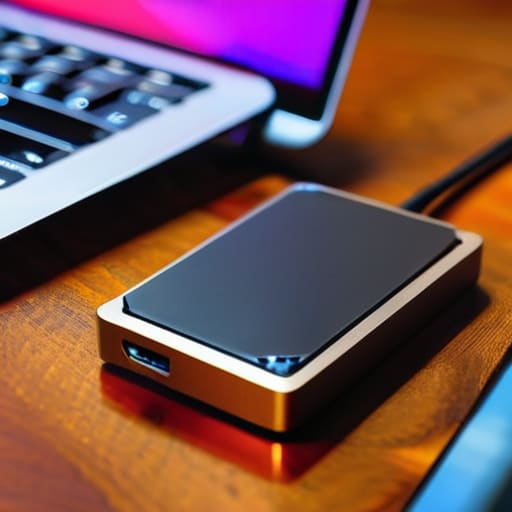
So, you’re staring at the choice between a physical drive and a subscription service, wondering which one is actually worth your sanity. Honestly, it’s not about which one is “better”—it’s about how you actually use your time. If you’re like me and tend to forget things exist the second they aren’t on your screen, an external hard drive is your best friend for speed. You plug it in, drag the folder, and you’re done. It’s great for massive files like video projects or high-res photos that would take a literal eternity to upload to the internet.
On the flip side, cloud storage is the ultimate “set it and forget it” tool. While an external drive is great, it’s still a physical object that can get knocked off a desk or, heaven forbid, lost in a move. This is where automated data protection becomes a lifesaver. Services like Backblaze or Google Drive work in the background so you don’t have to remember to “do the thing” every Sunday night. My personal sweet spot? Using a drive for the heavy lifting and the cloud for the stuff you absolutely cannot afford to lose.
5 Low-Effort Habits to Make Sure You Never Lose Your Files
- Set it and forget it. Don’t try to manually drag and drop files every Friday; you won’t do it. Set up an automated sync service or a scheduled backup on your external drive so it happens in the background while you’re doing literally anything else.
- Test your backups before you actually need them. There is nothing more gut-wrenching than thinking you’re safe, only to realize your backup drive has been corrupted for six months. Once every few months, try to open a random file from your backup just to make sure it’s actually there.
- Keep your “digital junk” separate from your “life junk.” I don’t care about backing up every single meme or random screenshot you’ve saved since 2019. Focus your heavy-duty backups on the stuff that would actually ruin your week if it vanished—tax docs, family photos, and work projects.
- Don’t forget your phone. We spend half our lives on our phones, and they are arguably the most fragile devices we own. Make sure your photo library is tethered to a cloud service so a spilled latte doesn’t turn into a permanent loss of your last three years of memories.
- Physical security matters too. If you’re using an external hard drive, don’t just leave it plugged into your laptop 24/7. If there’s a power surge or a theft, you could lose both. Keep one copy disconnected and tucked away in a drawer for that extra layer of “just in case.”
The TL;DR: Don't Overthink It, Just Do It
Stop waiting for the “perfect” setup; grab a cheap external drive today and get your most important files off your laptop immediately.
Use the 3-2-1 rule as your baseline, not a suggestion—having your data in two different physical places is the bare minimum for peace of mind.
Automate whatever you can, because if you have to remember to manually back up your files every Friday, you eventually won’t, and that’s when the disaster happens.
The Reality Check
“I know it feels like just another chore on an already overflowing to-do list, but please—don’t wait until your laptop makes that terrifying clicking sound to realize your digital life is one hardware failure away from vanishing. A backup isn’t about being a tech genius; it’s just about giving your future, stressed-out self a massive favor.”
Maya Sterling
Don't Wait for the Crash

Look, I know setting up a backup system feels like just one more chore on an already overflowing to-do list. But whether you decide to go the manual route with an external hard drive or automate everything through the cloud, the goal is the same: removing the panic from your daily life. You don’t need a complex, enterprise-grade server setup to stay safe. Just stick to that 3-2-1 rule we talked about, pick the method that fits your budget, and set it and forget it. Once that system is running in the background, you can stop playing digital roulette with your precious photos and important work files.
At the end of the day, my goal isn’t to turn you into a tech expert; it’s to help you build a little bit of breathing room. We spend so much energy trying to keep every other part of our lives organized, so why let a single hardware failure undo all that hard work? Data backups aren’t about being a perfectionist; they are about protecting your peace of mind. Grab that drive, click that sync button, and then go enjoy your day knowing that even if your laptop decides to take an unexpected nap, your life is still safely tucked away.
Frequently Asked Questions
Is it actually worth paying for a monthly cloud subscription, or should I just stick to a one-time purchase of a physical hard drive?
Honestly, it’s a trade-off between convenience and control. If you’re someone who forgets things exist unless they’re staring you in the face, pay for the cloud. It’s “set it and forget it,” which is a lifesaver when life gets chaotic. But if you hate monthly subscriptions bleeding your bank account dry, grab a solid external drive. Just remember: a hard drive can break or get lost, so don’t make it your only safety net.
How often do I really need to run these backups without it becoming a total chore in my weekly schedule?
Honestly, don’t turn this into another weekly chore on your to-do list, or you’ll eventually just stop doing it. If you’re working on big projects, back up daily. But for the rest of us? Aim for once a week. My trick is to tie it to something I already do—like Sunday meal prepping or clearing out my inbox. Set a recurring calendar alert, plug in the drive, and let the automation do the heavy lifting.
If my laptop gets stolen or my house has a power surge, will my backups actually be safe?
That is exactly why the 3-2-1 rule exists. If your backups are just sitting on a drive plugged into your laptop, a thief—or a literal lightning strike—takes everything at once. To be truly safe, at least one of those copies has to be off-site. Whether that’s a cloud service or a physical drive tucked away at a friend’s place, distance is your best defense against physical disasters. Don’t keep all your eggs in one digital basket.
