
I used to spend way too much time scrolling through app stores, convinced that if I just found that one perfect, color-coded, subscription-based planner, my life would finally feel under control. But let’s be real: most of those “aesthetic” tools are just expensive digital clutter that end up making me feel more overwhelmed rather than less. I finally realized that I didn’t need a premium subscription to stay organized; I just needed the best free apps that actually serve a purpose without the constant notifications or the hefty price tag.
In this post, I’m stripping away the fluff and sharing the five specific tools that have become my absolute essentials for managing projects, food, and my sanity. I’ve tested them through the chaos of freelance deadlines and tiny apartment living, so I know which ones actually hold up. You’re going to learn exactly which apps I rely on to keep my life running smoothly without spending a single cent. Let’s get into the tools that actually do the heavy lifting.
Table of Contents
Notion: My Digital Brain
I used to spend way too much time jumping between different apps for my notes, my grocery lists, and my freelance project timelines. It was a total mess until I started using Notion. It’s essentially a blank canvas where you can build whatever system you need, whether that’s a simple habit tracker or a complex database for your client work. The key is to not get overwhelmed by the possibilities right out of the gate; just start with one page and grow from there.
Google Calendar: The Non-Negotiable Anchor
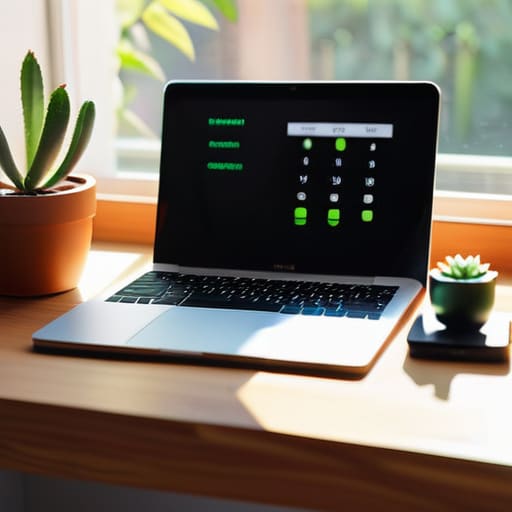
If there is one thing I’ve learned from managing multiple freelance projects, it’s that if it isn’t on the calendar, it simply isn’t happening. I know, it sounds basic, but Google Calendar is the backbone of my entire week. I don’t just use it for meetings; I use it to block out time for “deep work,” grocery runs, and even when I need to step away from the screen to avoid burnout.
Trello: Visualizing the Chaos
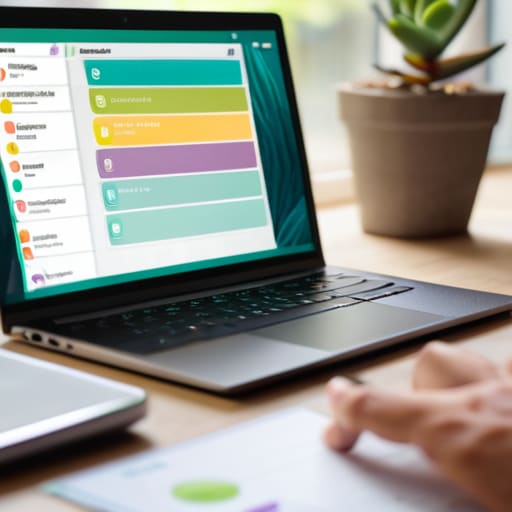
Sometimes, seeing a long list of tasks just makes me want to close my laptop and nap. That’s where Trello comes in. It uses a board and card system that lets you visually move tasks from “To-Do” to “Doing” to “Done.” For someone like me, who thrives on seeing tangible progress, that little feeling of dragging a card across the screen is surprisingly satisfying.
Splitwise: For the Realities of Shared Living
Whether you’re splitting rent with a roommate or just trying to settle up after a dinner with friends, Splitwise is a lifesaver. I used to feel so awkward bringing up money or, even worse, forgetting who owed what, which always made things feel unnecessarily tense. This app takes the social friction out of the equation by keeping a running, transparent tally of everything.
Canva: Design Without the Headache
I’m a communications major, so I know a little bit about design, but I am definitely not a professional graphic designer. Whenever I need to whip up a quick flyer for a local community event or a simple social media graphic for my freelance side-hustle, I head straight to Canva. It’s much more intuitive than the heavy-duty software I used in college, and the free version is incredibly robust.
The Bottom Line
Stop chasing the “perfect” setup; a simple, free tool you actually use is infinitely better than a premium app that just sits there looking pretty.
Productivity isn’t about how many apps you have on your home screen, it’s about finding the specific ones that solve your actual, daily bottlenecks.
Don’t be afraid to mix and match—your toolkit doesn’t need to be a cohesive ecosystem, it just needs to work for your specific brand of chaos.
## My Philosophy on Digital Tools
“I stopped looking for apps that make my life look pretty on a screen and started looking for the ones that actually clear the mental clutter. If a tool doesn’t save me ten minutes of frustration or five dollars of stress, it’s just more digital noise I don’t need.”
Maya Sterling
The Bottom Line
At the end of the day, you don’t need a dozen paid subscriptions or a perfectly color-coded digital ecosystem to feel like you have your life under control. Whether you’re using a simple task manager to stop your brain from looping on grocery lists or a basic note app to capture those random midnight ideas, the goal is the same: reducing the mental load. These five apps aren’t about achieving some unattainable level of digital zen; they are just practical tools designed to clear the clutter so you can focus on what actually matters. If an app feels like more work than it’s worth, toss it. The best tool is always the one that actually gets used.
I know how easy it is to fall into the trap of “productivity porn”—spending hours setting up a system instead of actually doing the work. We’ve all been there, staring at a blank Notion page wondering why we haven’t mastered our lives yet. But please remember that your worth isn’t tied to how efficiently you manage your calendar. Technology should serve you, not the other way around. Start small, pick one tool that feels intuitive, and let the rest of the noise fade into the background. Life is messy enough as it is; let’s just try to make the logistics a little bit easier so we can get back to living it.
Frequently Asked Questions
Are these apps actually secure, or am I trading my privacy for a free subscription?
Look, I get it. Whenever something is free, I immediately wonder what the catch is. I’m not a tech expert, but I do tend to be pretty protective of my data. Generally, these apps are safe because they make money through ads or premium tiers rather than selling your soul. However, I always check the permissions first. If a simple task manager asks for my location and contacts, I’m hitting “deny” or moving on.
Will these tools play nice with the stuff I’m already using, like my Google Calendar or Notion?
That’s the million-dollar question, isn’t it? I’m a huge believer in not adding more friction to your life. The good news is that most of these tools are pretty social. I personally sync my task lists directly with Google Calendar so I’m not constantly jumping between tabs, and a few of these even have Notion integrations. Just check the “Integrations” tab in the settings first—it’ll save you a massive headache later.
Is there a catch—like a hidden subscription or a bunch of annoying ads—that I should know about before I download them?
I totally get the skepticism—I’ve been burned by those “free” apps that turn into a subscription trap the second you hit download. Luckily, I’ve vetted these. None of them are hiding aggressive ads or forcing a monthly fee just to use basic features. There might be a “Pro” version for extra bells and whistles, but for the actual, day-to-day stuff we need to stay organized, the free versions are genuinely solid. No catch, just tools.
