
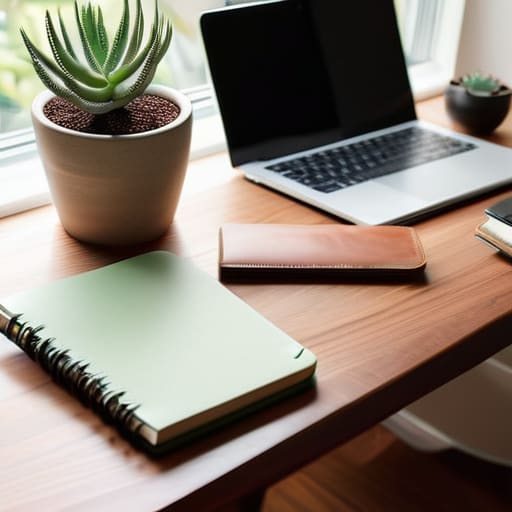
I’m so tired of seeing those “perfect” home office setups on social media—the ones with the $800 ergonomic chairs, the curated eucalyptus branches, and the sunlight hitting a pristine white desk just right. Honestly, if I see one more influencer suggest that you need a dedicated, minimalist sanctuary to be productive, I might actually lose it. Most of us are out here trying to find decent remote work tips while sitting at a cluttered kitchen table, dodging a pile of laundry, or trying to ignore the fact that our “office” is actually just the corner of a bedroom. Real life is messy, and your workspace doesn’t need to look like a Pinterest board to actually function.
I’m not here to sell you on a lifestyle overhaul or a suite of expensive productivity apps you’ll never open. Instead, I want to share the gritty, unpolished systems that actually keep me sane as a freelance project manager. I’m talking about the small, low-effort tweaks that help you reclaim your focus and, more importantly, help you actually log off when the day is done. We’re skipping the performative perfection and getting straight to the stuff that actually works.
Table of Contents
- Ditch the Aesthetic Home Office Setup Essentials for Real People
- Remote Work Productivity Hacks for the Chronically Distracted
- Small, weirdly effective ways to keep your sanity while working from your couch
- The bottom line: How to actually survive the WFH grind
- The real goal of working from home
- Let's stop pretending it's perfect
- Frequently Asked Questions
Ditch the Aesthetic Home Office Setup Essentials for Real People
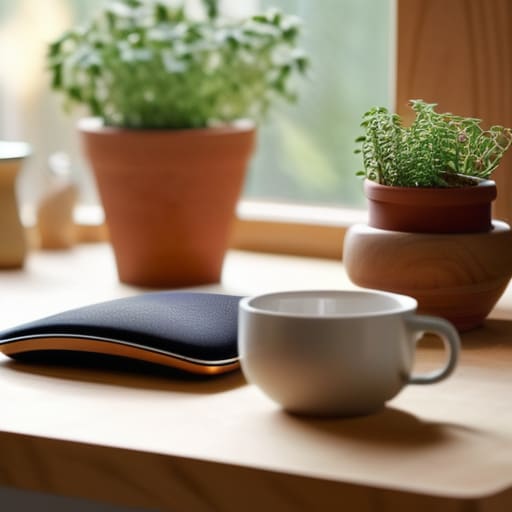
We’ve all seen those Pinterest-perfect desk setups: a single monstera plant, a beige mechanical keyboard, and a linen-covered chair that looks like it would be painful to sit in for more than ten minutes. Honestly? I don’t have the space or the budget for that, and frankly, I don’t want to. My “office” is a corner of my dining table that usually has a stray herb pot and a half-finished tea mug cluttering it up. But here’s the thing: your workspace doesn’t need to look like a magazine spread to be effective. When it comes to home office setup essentials, I prioritize ergonomics over aesthetics every single time. If your wrists ache by 2:00 PM, it doesn’t matter how cute your desk lamp is.
Instead of chasing a specific look, focus on the stuff that actually prevents the mid-afternoon slump. I swear by a decent second monitor—even a cheap one—because toggling between tabs is a massive drain on my focus. If you’re struggling with remote work burnout prevention, try creating a “physical boundary” rather than a decorative one. Even if it’s just a specific coaster or a certain lamp you turn on only when you’re “on the clock,” those little cues help your brain transition out of work mode when the day is done.
Remote Work Productivity Hacks for the Chronically Distracted

Look, I get it. You sit down with your coffee, ready to conquer the world, and suddenly you’ve spent forty minutes researching whether or not you should buy a new indoor herb kit or deep-cleaning the baseboards. If you’re like me, your brain treats every tiny distraction like a high-priority notification. Instead of trying to force yourself into a state of Zen-like focus that doesn’t actually exist, I’ve found that micro-tasking is a lifesaver. Don’t look at your giant to-do list; it’s intimidating and honestly, a bit much. Just pick one tiny, mindless thing—like clearing your inbox or formatting a single slide—to get the momentum moving.
When the “doom scrolling” starts to take over, I use a modified version of the Pomodoro technique, but without the pressure of a ticking clock. I tell myself I’ll work for just twenty minutes, and if I’m still staring at a wall after that, I’m allowed to take a real break. It’s one of those small remote work productivity hacks that actually respects my mental energy rather than fighting it. The goal isn’t to be a machine; it’s just to find a rhythm that keeps you from hitting a wall of total exhaustion by 2:00 PM.
Small, weirdly effective ways to keep your sanity while working from your couch
- Stop trying to do a “full work day” in one go. I’ve learned that my brain basically hits a wall around 2 PM, so instead of staring blankly at my screen for two hours, I just step away. Go water your plants, grab a snack, or literally just stare at a wall. Breaking it into manageable chunks is way better than forcing a marathon that leaves you burnt out by dinner.
- Use a “transition ritual” to trick your brain into working. Since I don’t have a commute to decompress, I used to find myself still thinking about spreadsheets while trying to eat pasta. Now, I put on a specific playlist or even just change my shoes. It sounds silly, but it tells my brain, “Okay, we’re in work mode now,” and more importantly, “We’re done now.”
- The “one tab” rule for when you’re spiraling. When I feel that overwhelming urge to open twenty different tabs—research, email, news, shopping—I force myself to keep only the essential ones open. If I need something else, I have to close something first. It keeps the digital clutter from turning into mental clutter.
- Set a “hard stop” time and actually stick to it. When your office is also your living room, the lines get blurry fast. I used to find myself answering “quick” emails at 9 PM, which is a recipe for disaster. Now, I shut my laptop and put it in a drawer. If it’s out of sight, it’s much easier to actually stop being a project manager and just be a person.
- Don’t neglect the “analog” stuff. Sometimes, the best way to solve a tech problem or organize a chaotic project is to step away from the screen entirely. I keep a cheap, spiral-bound notebook next to my laptop for quick brain dumps and messy to-do lists. There’s something about physically crossing something off a list that feels way more satisfying than clicking a checkbox.
The bottom line: How to actually survive the WFH grind
Stop waiting for the “perfect” setup to start working; just grab a decent chair and some decent lighting, and call it a day.
Protect your peace by setting hard boundaries between your “work brain” and your “home brain,” even if that just means closing your laptop and physically walking away.
Focus on progress, not performance—if you hit your three main goals for the day, you’ve won, regardless of how many colorful stickers are in your planner.
The real goal of working from home
“Remote work isn’t about finding the perfect, Pinterest-worthy desk setup; it’s about building a handful of small, messy systems that actually protect your time so you can stop working and start living.”
Maya Sterling
Let's stop pretending it's perfect
At the end of the day, remote work isn’t about having a perfectly color-coded calendar or a desk that looks like a Pinterest board. It’s really just about finding those small, slightly imperfect systems—like choosing a functional workspace over a pretty one, or picking three meaningful tasks instead of drowning in a twenty-item to-do list—that keep you from burning out. We’ve covered how to manage your space and how to keep your focus when the laundry is staring you down, but the goal isn’t to become a productivity robot. The goal is to build a rhythm that actually works for your real, messy life, rather than trying to force your life to fit into some curated digital fantasy.
If you’re feeling behind or like you haven’t “mastered” the work-from-home lifestyle, please give yourself a break. Some days you’ll crush your goals by noon, and other days you’ll spend forty minutes staring at a rogue herb plant in your kitchen instead of answering emails. Both are part of the process. Just remember that progress is better than perfection, and you don’t need a fancy setup to be successful. Just grab your multi-tool, fix what’s broken, and keep moving forward at your own pace. You’ve got this.
Frequently Asked Questions
How do I actually stop my brain from switching into "laundry mode" the second I sit down at my desk?
Oh, the “laundry mode” trap. I call that the Procrastination Pivot. The second a task feels heavy, your brain suddenly decides the pile of towels is a life-or-death emergency.
What do I do when my apartment feels more like a prison than a workspace?
Honestly, I’ve been there. When the walls start closing in, stop trying to “power through.” I used to think I could just grind it out, but it’s a trap. My fix? The “change of scenery” rule. If I’m spiraling, I pack my multi-tool, grab my laptop, and head to a local cafe or even just a different room. If that’s not an option, open every window. Fresh air and a different view are non-negotiable for my sanity.
How can I set boundaries with my family or roommates without feeling like a total jerk?
Look, I’ve been there—staring at a roommate walking in mid-meeting, feeling that instant spike of resentment. The trick is to stop treating boundaries like a confrontation and start treating them like a shared system. Instead of “don’t bother me,” try: “Hey, I’m in deep-work mode until 2:00. If it’s not an emergency, can we chat over coffee after?” It’s not being a jerk; it’s just setting the parameters so you can actually function.
